TypeTween
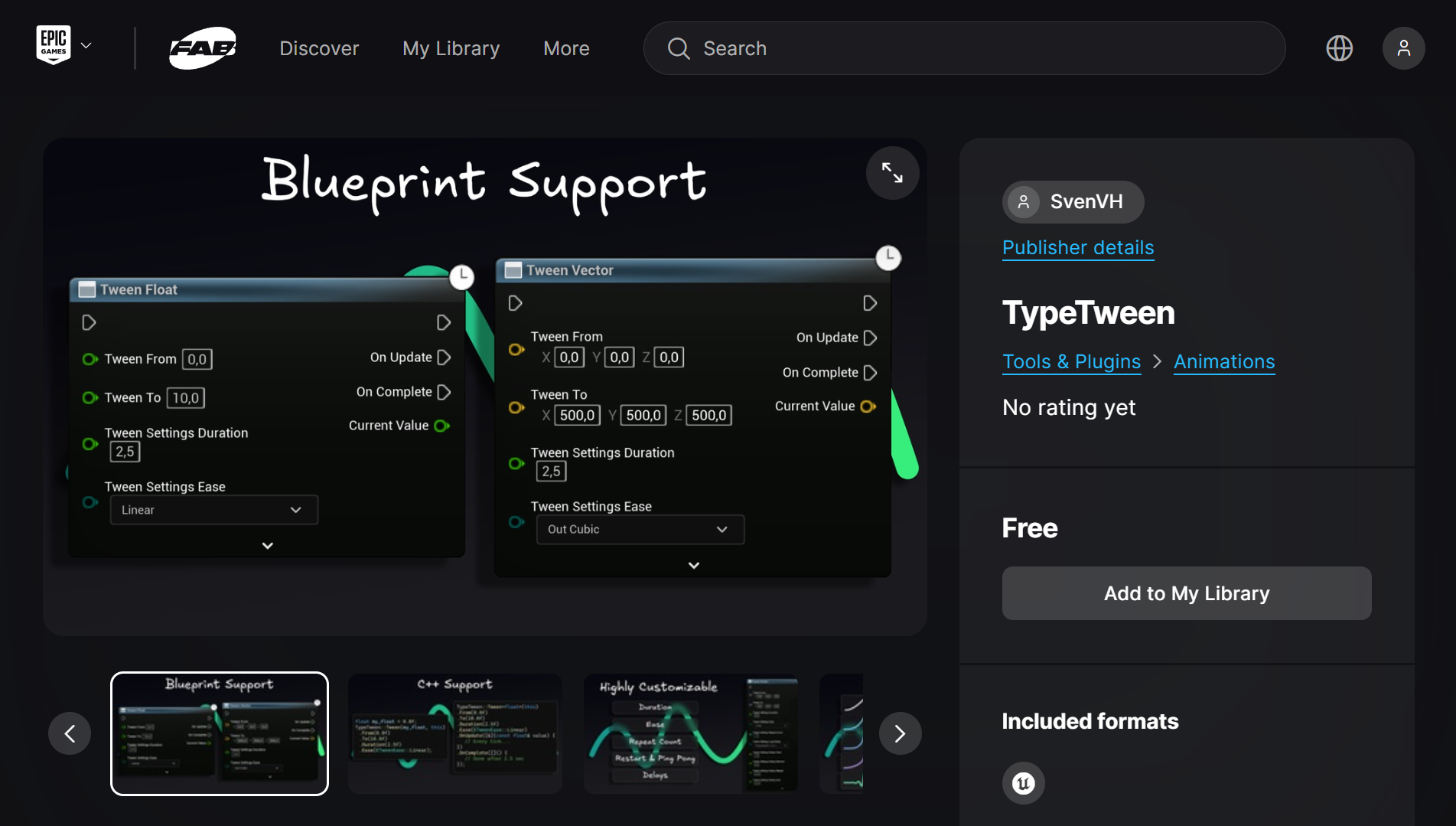
TypeTween is a free and open-source tweening plugin for Unreal Engine with a fluent C++ API and Blueprint support.
The plugin is available on both GitHub and the official Unreal Engine Marketplace (Fab). This project was developed independently during my university studies and subsequently published on Fab.
Goal
My goal with this plugin was to make a tool that is as easy as possible for both programmers and designers to create smooth animations. Tweens (interpolations) can add a lot of polish to a game, but they can be time-consuming to create if you have to write custom code for each animation. With TypeTween, you can create complex animations with just a few lines of code or a single Blueprint node.
Example
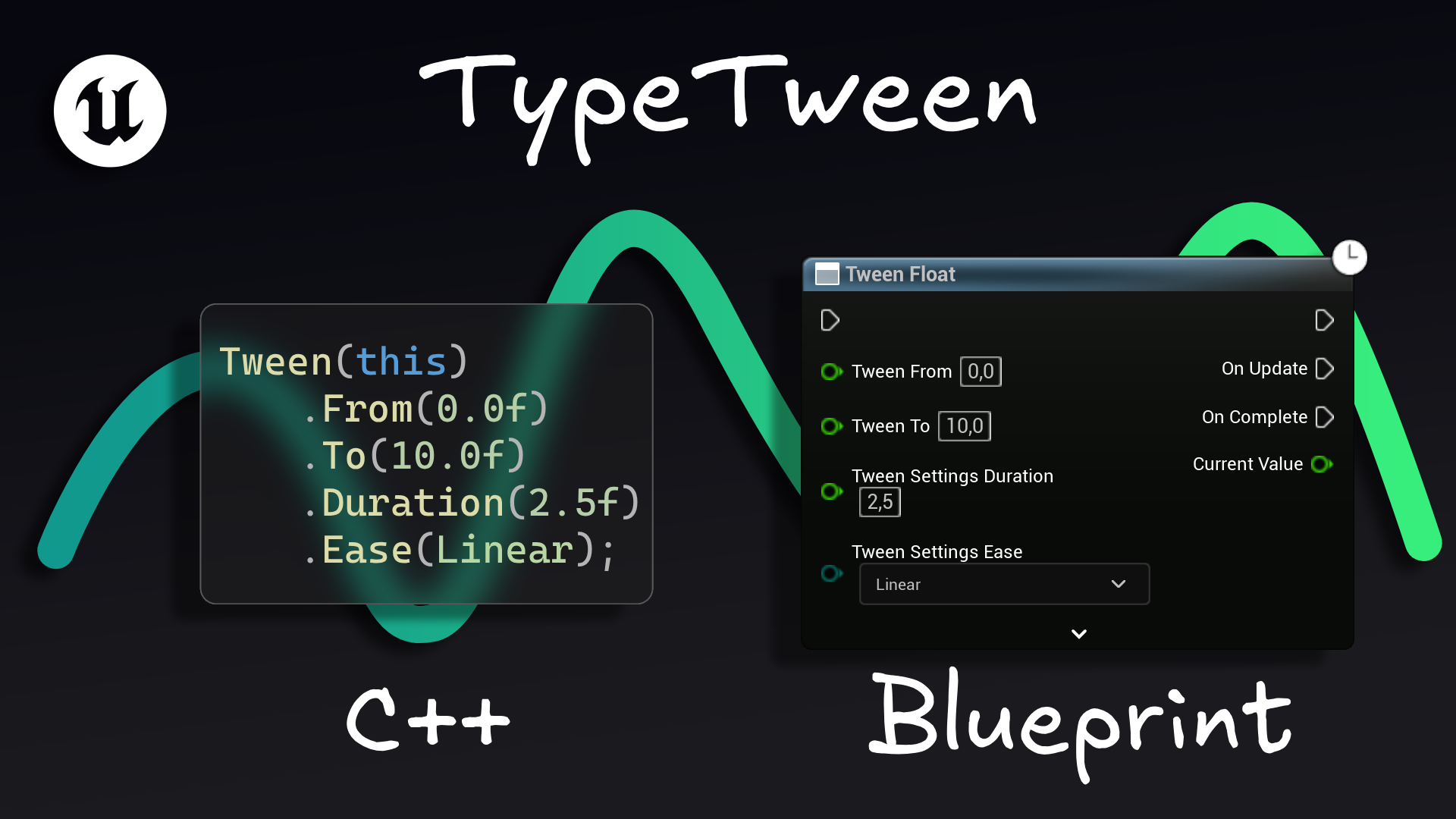
Same tween created with C++ and Blueprints:
TypeTween::Tween<FVector>(this)
    .From(FVector(-200.0f, 0.0f, 0.0f))
    .To(FVector(200.0f, 0.0f, 0.0f))
    .Duration(1.5f)
    .Ease(ETweenEase::OutBounce)
    .Repeat(-1)
    .PingPong()
    .ReverseDelay(0.5f)
    .RepeatDelay(0.5f)
    .OnUpdate([this](const FVector& Value) {
        Cube->SetRelativeLocation(Value);
    });
Result:

Features
Easing curves
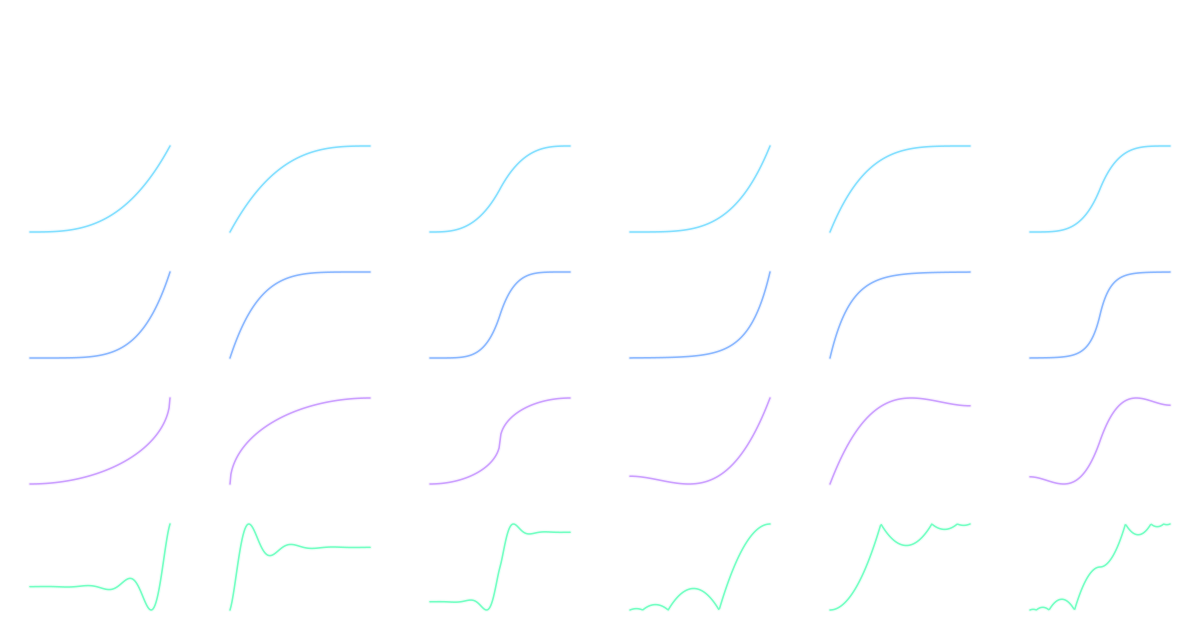
Example video above uses the OutBounce easing curve, which adds a nice bounce effect at the end of the animation. TypeTween supports a total of 30 easing curves, including linear, quadratic, cubic, quartic, quintic, sine, circular, exponential, back, elastic, and bounce eases. Each of these eases has In, Out, and InOut variants to give you even more control over the animation.
Basic vs. Advanced
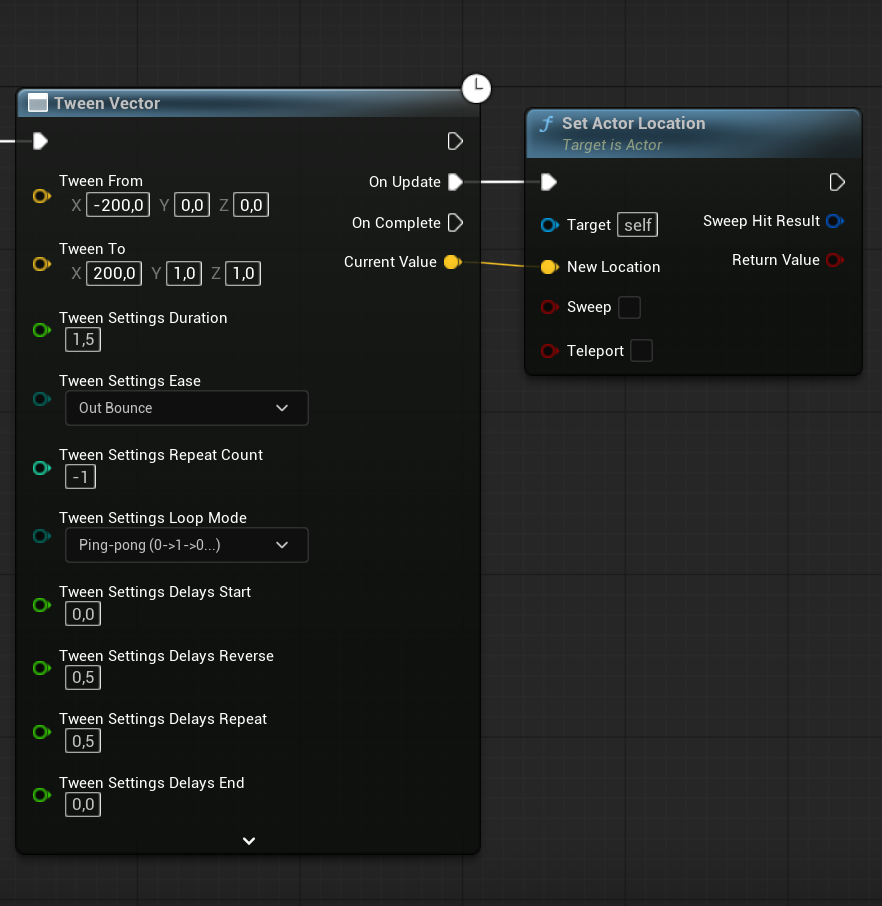
With the fluent builder pattern in C++, it’s easy to create both simple and more complex tweens. Just add more method/function calls to the builder to add more features to your tween.
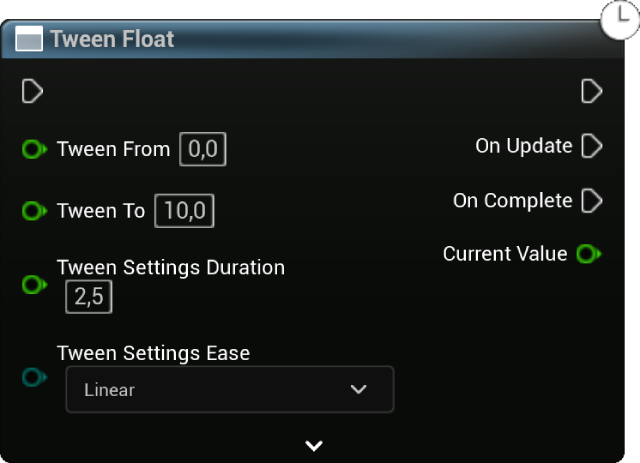
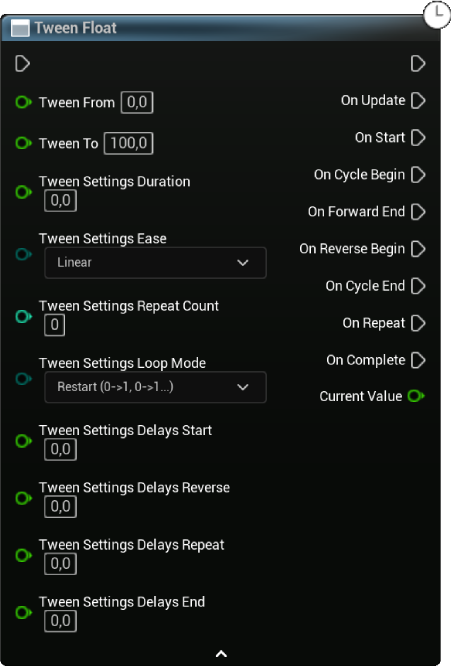
In Blueprints, this is a bit different. I didn’t want to overwhelm the user with too many parameters/pins. To solve this, I hid the more advanced features like repeat count, repeat mode, delays, callbacks, etc. behind the “Advanced” dropdown. This way, users can still create simple tweens with just the basic parameters, but they can also access the more advanced features if they need them.
Callbacks
As you can see in the advanced blueprint example above, there are a bunch of callback options for the user. This is to make sure that the user can easily hook into the tween’s lifecycle and execute custom logic at specific points in time.
| Callback | Description |
|---|---|
| OnPreStart | Called on the very first frame, before the StartDelay begins. |
| OnStart | Called after the StartDelay elapses and the tween is about to start. |
| OnCycleBegin | Called at the start of each cycle, including the first one. |
| OnForwardEnd | Called when the forward phase of the tween is complete (alpha == 1). |
| OnReverseBegin | Called when the reverse phase of a ping-pong tween begins. |
| OnCycleEnd | Called at the end of each cycle, after both forward and reverse phases are complete. |
| OnRepeat | Called at the end of each cycle except the last one, when the tween is set to repeat. |
| OnComplete | Called when all cycles of the tween are finished. |
| OnTick | Called every frame while the tween is active, including during delays. |
| OnUpdate | Called whenever the tween’s value changes. The callback receives the new value, and optionally the alpha (0-1) if you want to use it for something. |
Promote to Variable
Problem: programmer makes a tween but wants to give the designer the ability to customize the tween. Has to make every parameter/setting a variable (see image). An extremely tedious process.
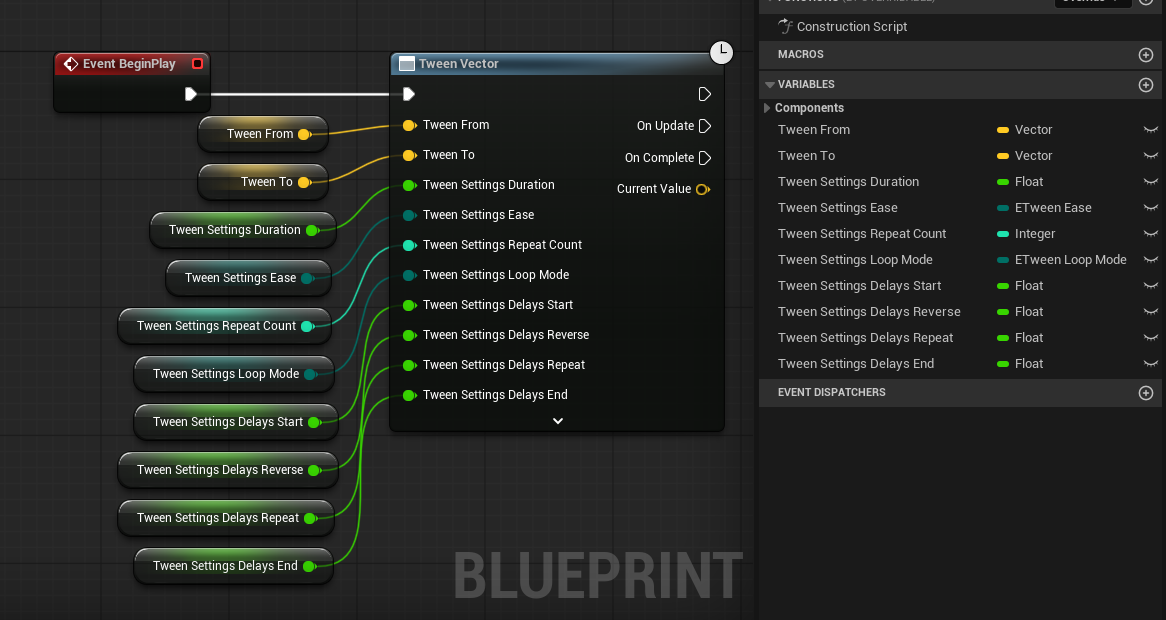
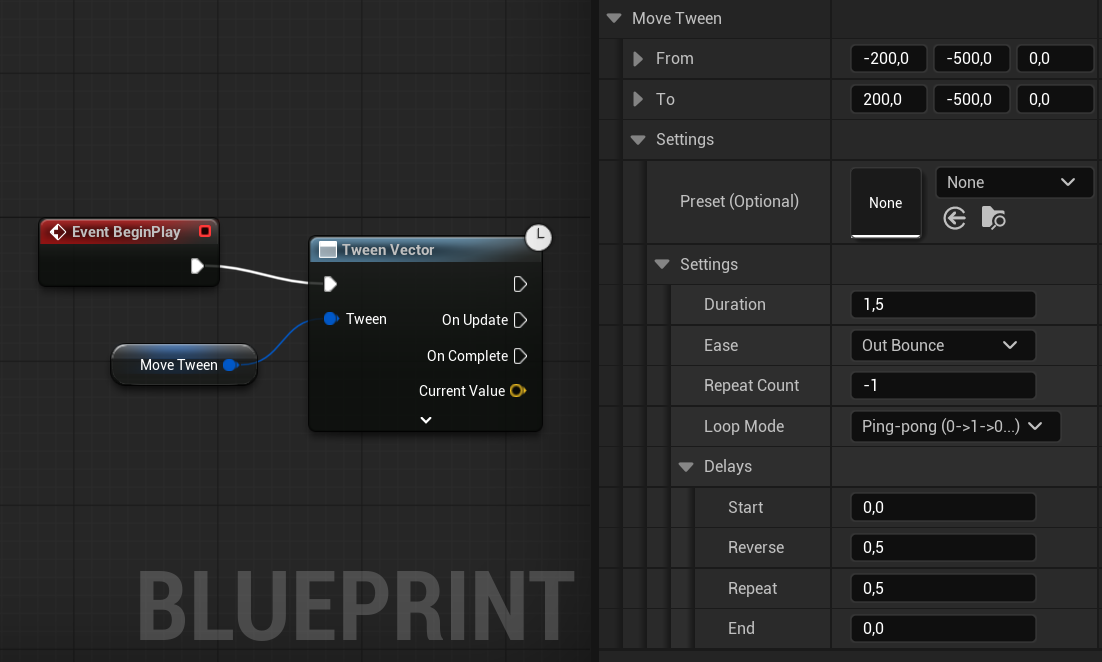
Solution: Instead of taking every parameter as an input pin, the tween node has a single struct pin that takes a “Tween Settings” struct. This struct contains all the parameters/settings for the tween.
Supported Types
Blueprints
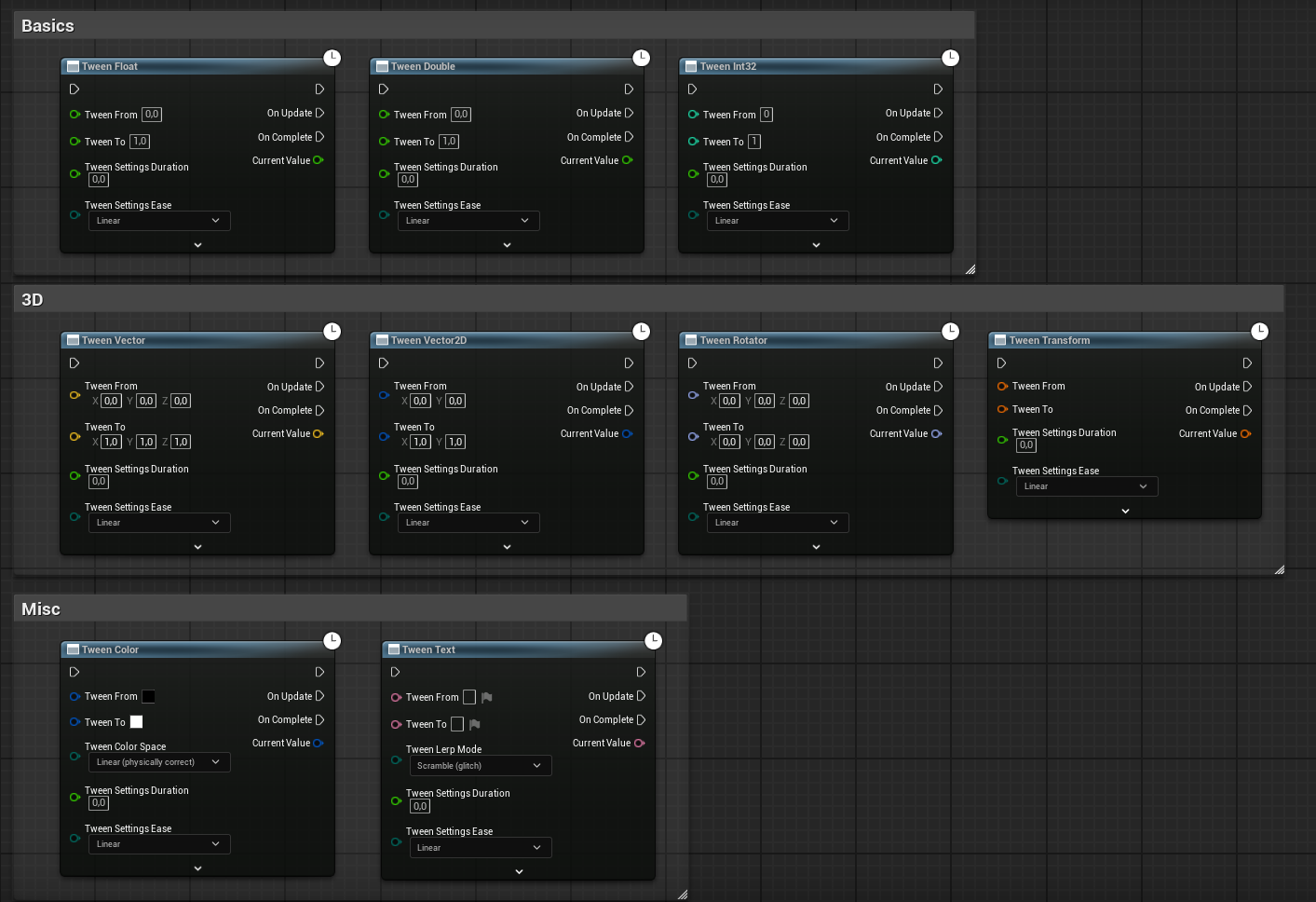
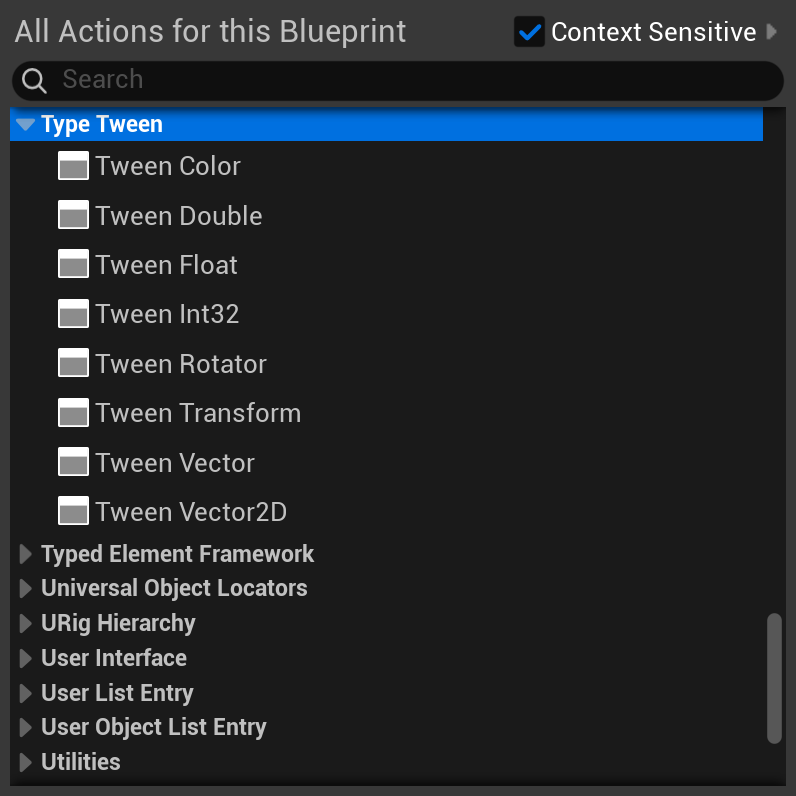
Out of the box, the plugin supports tweening the following types in Blueprints:
int,float,doubleFVector,FVector2D,FRotator,FTransformFColor,Text
C++
C++ supports all of the above types, plus any type that has a custom lerp function defined in FMath (e.g. FLinearColor) or any type that has +, -, and * operators defined (e.g. FVector4, custom structs, etc.).
I do these checks using type traits and C++20 concepts to determine at compile time which lerp function to use for a given type:
/* Concept checks */
namespace Traits {
    /* Requires a type to have +, -, and * operators */
    template<typename T>
    concept TIsLerpable = requires(T A, T B, float F) {
        { A + (B - A) * F } -> std::convertible_to<T>;
    };

    /* Check if a type has a custom Unreal lerp function defined in FMath */
    template<typename T>
    concept THasUnrealLerp = TCustomLerp<T>::Value;
}

// Anything with +, -, and * operators falls back to the generic formula
template<typename T>
    requires Traits::TIsLerpable<T> && (!Traits::THasUnrealLerp<T>)
struct Lerper<T> {
    static T Lerp(const T& A, const T& B, float Alpha) { return A + (B - A) * Alpha; }
};

// Unreal types that define a custom lerp use FMath::Lerp
template<typename T>
    requires Traits::THasUnrealLerp<T>
struct Lerper<T> {
    static T Lerp(const T& A, const T& B, float Alpha) { return FMath::Lerp(A, B, Alpha); }
};
Color
Some types require a bit more customization. For example, FColor, while it does have an FMath::Lerp function, there are multiple ways to interpolate between colors (e.g. RGB, HSV, Linear, Oklab, etc.). For such types I made another type trait customization where it has a ColorSpace method that allows the user to specify how they want to interpolate between colors:
namespace TypeTween {
    template<>
    class ITween<FLinearColor> : public Detail::TweenBase<ITween<FLinearColor>> {
    public:
        /* Start Value [T=0], if not provided, will use current value */
        ITween& From(FLinearColor InStart) { Start = MoveTemp(InStart); return *this; }
        /* End Value [T=1], if not provided, will use current value */
        ITween& To(FLinearColor InEnd) { End = MoveTemp(InEnd);   return *this; }

        ITween& ColorSpace(EColorLerpMode InMode) { Mode = InMode;   return *this; }

        //...
    };
}
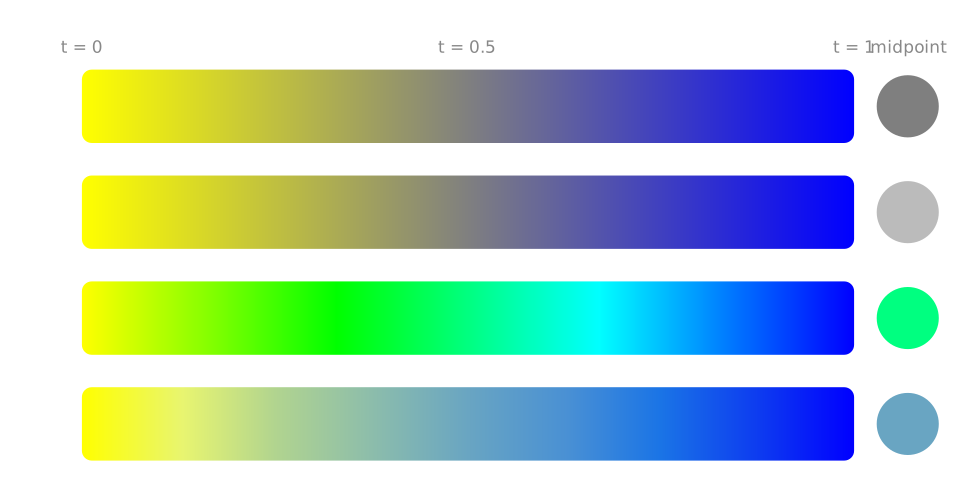
This allows the user to specify how they want to interpolate between colors, which can lead to very different results. For example, interpolating between yellow and blue in RGB space (sRGB) will give you a gray color in the middle, while interpolating in HSV space will give you a bright cyan color in the middle:
TypeTween::Tween<FLinearColor>(this)
    .From(FLinearColor::Yellow)
    .To(FLinearColor::Blue)
    /* Specify color interpolation mode: */
    .ColorSpace(EColorLerpMode::sRGB)
    .ColorSpace(EColorLerpMode::Linear)
    .ColorSpace(EColorLerpMode::HSV)
    .ColorSpace(EColorLerpMode::Oklab)
Text
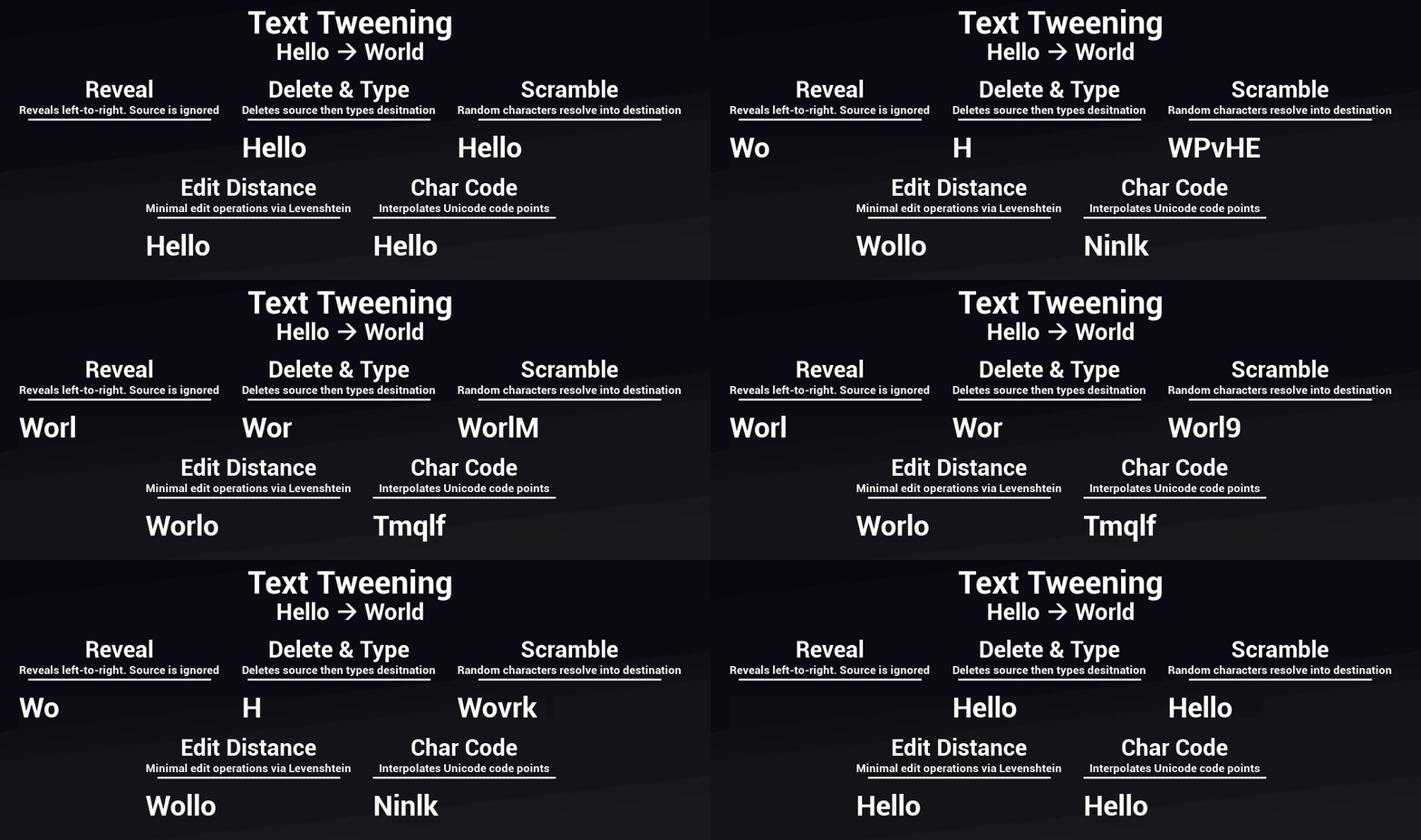
Interpolating between text is trickier, since there is no mathematical way to interpolate between two strings. For this, I implemented multiple text interpolation modes that use different algorithms to determine how the text should change over time.
TypeTween::Tween<FText>(this)
  .From(FText::FromString("Hello"))
  .To(FText::FromString("World"))
  /* Specify Lerp Mode */
  .Mode(ETextLerpMode::Reveal)
  .Mode(ETextLerpMode::Scramble)
  .Mode(ETextLerpMode::DeleteAndType)
  .Mode(ETextLerpMode::EditDistance)
  .Mode(ETextLerpMode::CharCode)
What I Learned
Publishing on Fab set a clear bar from the start: the plugin had to be both extensible for developers and intuitive for designers.
For extensibility, I used type traits and C++20 concepts to let the compiler automatically select the correct lerp function for any given type. Other approaches like a switch statement per supported type would break the moment someone introduced a custom struct. With concepts, any developer can add support for their own types by defining the necessary operators or lerp functions, without touching the core library.
The UX side proved more time-consuming than expected. The fluent builder pattern, the advanced dropdown in Blueprints, the callback system, and the “Promote to Variable” struct design were all deliberate choices to reduce friction for designers. Implementing them properly required building custom UK2Node classes. Standard Blueprint nodes didn’t expose enough control over pin layout and dynamic behavior, so going lower into Unreal’s reflection and Blueprint VM system was needed. That was the steepest learning curve of the project, and also the most valuable.
Publish
After developing the plugin, I published the source code on GitHub and the compiled plugin on the Unreal Engine Marketplace (Fab), making it easy for other developers to use, contribute to, or learn from.
Publishing on Fab took longer than expected. Creating static promotional screenshots for an animation library is its own challenge, and the submission process required thorough documentation. Luckily the Fab review team responded quickly and gave clear feedback, which made the process much smoother than I anticipated and notably faster compared to submitting on Google Play and the iOS App Store.
Source code on GitHub:
Plugin on Fab: